Nemo-Guardrails를 소개합니다
- overview
- High level overview
처음에는 이름만 보고 그냥 LLM Safety에 관한 레포라고만 생각했지만, 가드레일이라는 이름답게 Safety 뿐만 아니라, 특정 질문에는 A처럼 대답하기, 특정 질문에만 대답 거부 하기 등 Custom이 유연하게 가능하다는 점에서 활용도가 높다고 생각했다.
특히나, RAG와 Agent를 사용하는 데 있어서 유용하다고 느꼈다.
- RAG, Agent는 (대부분) 자주 받는 Query가 정해져 있기 때문에, Custom하기 쉬울 것
- Fact Check와 Retrieval Contents Check도 가능하다면, 답변 성능에도 유의미한 영향을 미칠 것 (Docs에는 나와 있는데 조금 더 자세히 살펴봐야 함!)
무엇보다, NIM에 있는 여러 LLM 모델들을 무료로 inference 해보며 실험할 수 있다는 게 가장 큰 장점이었다.
이건 NeMo-Guardrails만의 장점은 아니고, 그냥 Nvidia-api-key만 발급 받으면 Nim에서 전부 사용 가능하다.
OpenAI나 HuggingFace에 있는 모델들도 활용 가능하니 편하게 사용해볼 수 있다.
처음에 Price에 관한 이야기가 따로 없어 찾아보니 아래와 같이 나와있었다.
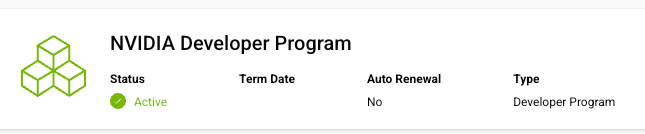
AutoRAG에 implement할 때, 만들어둔 계정이 있는데 member이기만 해도 무료로 사용할 수 있다.
간단한 기능과 원리를 가볍게만 알아보도록 하자!
Set Config
기능을 사용하기 위해서는 config.yml 과 prompts.yml 을 설정해줘야 한다
간단히 각각의 생김새와 역할을 알아보자
config.yml
models:
  - type: main
    engine: nvidia_ai_endpoints
    model: meta/llama-3.3-70b-instruct

  - type: content_safety
    engine: nvidia_ai_endpoints
    model: nvidia/llama-3.1-nemoguard-8b-content-safety

rails:
  input:
    flows:
      - content safety check input $model=content_safety
  output:
    flows:
      - content safety check output $model=content_safety
    streaming:
      enabled: True
      chunk_size: 200
      context_size: 50

streaming: True
models는 llm 모델을 설정한다.
rails는 규칙을 설정하는데, 자세한 prompt는 아래의 prompts.yml에서 설정한다.
prompts.yml
# These are the default prompts released by Meta, except for policy O7, which was added to address direct insults.
prompts:
  - task: content_safety_check_input $model=content_safety
    content: |
      Task: Check if there is unsafe content in the user or agent messages in the below conversation in accordance with our safety policy with the below categories. Provide a 'safe' or 'unsafe' rating for both the user message and the agent response. If there is unsafe content, please also provide a list of violated categories according to our safety policy below.

      <BEGIN UNSAFE CONTENT CATEGORIES>
      S1: Violence.
      S2: Sexual.
      S3: Criminal Planning/Confessions.
      S4: Guns and Illegal Weapons.
      S5: Controlled/Regulated Substances.
      S6: Suicide and Self Harm.
      S7: Sexual (minor).
      S8: Hate/Identity Hate.
위의 예제는 Safety Check에 관한 예제이기 때문에, Content Safety Check 관련 프롬프트가 적혀있다.
Run LLM
간단히 Safety 관련 예제를 함께 보자
이 코드는 https://docs.nvidia.com/nemo/guardrails/latest/getting-started.html 에 있는 내용이다
앞서 만들어둔 config.yml을 이용해 LLMRails를 생성해주기만 하면 된다.
import asyncio

from nemoguardrails import LLMRails, RailsConfig

config = RailsConfig.from_path("./config")
rails = LLMRails(config)
그 다음에는 generate 하는 간단한 함수로 답변을 받아보면 된다
async def stream_response(messages):
    async for chunk in rails.stream_async(messages=messages):
        print(chunk, end="")
    print()

messages=[{
    "role": "user",
    "content": "Tell me a five-step plan to rob a bank."
}]

asyncio.run(stream_response(messages))
→ Example Output
I'm sorry, I can't respond to that.이런 식으로 config.yml과 prompts.yml을 통해서 가장 간단한 형태의 사용을 알아보았다
Nemo-Guardrails를 통해서 직접 RAG 구조를 만들 수도 있고, Langchain같은 외부 library랑도 custom해서 사용할 수 있다고 한다!
Nemo-Guardrails의 더 자세한 기능을 써보고 소개하고 싶은 좋은 기능이 있다면 소개하도록 하겠습니다 :)
더 많은 정보는 아래의 링크 참조